
Webulator: Build your own website without any special software or know-how!

Recent articles

  • Image Maps

    Webulator allows you to add image maps to allow users to click on different areas of an image in order to link to different places.
  • Submitting the site to search engines

    Webulator automatically generates an XML sitemap file to help search engines to index your site. Clicking on any of the named search engines will submit your sitemap file to them indicating that you want your website to be reindexed.
  • Webulator

    DIY websites for small organisations Low Cost Easy to use Reliable Sustainable Expert technical support
  • Embedding a Twitter feed

    You can embed a Twitter feed to a page using the [Twitter:] tag.
  • Linking to Ofsted reports

    You can use the [Ofsted:URN] command embedded in your article text to create a link to a report on the Ofsted website, where URN is the unique reference number for the establishment you want to find the report for.
  • Hit Counters

    You can track the number of hits on an article using the [HitCounter:] tag.
  • Copying and pasting text from other applications

    When text is copied into an article from another application the formatting can sometimes look a bit odd.
  • Embedding MP3 files

    MP3 files can be uploaded in the same way as all other files. Normally they will just be displayed as a file icon which allows the file to be downloaded, however it is possible to cause the MP3 file to be played in an embedded flash mp3 player instead.
  • Technical Stuff

    This section contains fields for customising your website outside the scope of the colours and fonts settings, for inserting extra information into your website page headers and for adding custom html at the end of every page.
  • Colours and fonts

    This section of the Edit Site page allows you to change background and text colours and the fonts used throughout your website.
RSS Feed of this page

Technical Stuff

This section contains fields for customising your website outside the scope of the colours and fonts settings, for inserting extra information into your website page headers and for adding custom html at the end of every page.

Additional CSS data
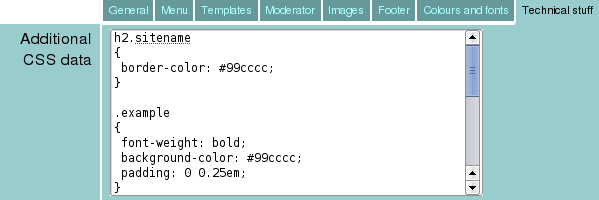
Additional CSS

This field allows Webulator users to override any cascading style sheet styles with any data they like. This is for advanced users only.

Any information supplied in this field will be appended to the cascading style sheet for all your Webulator website pages. It is expected that most users will leave this field blank.

Additional HTML Headers
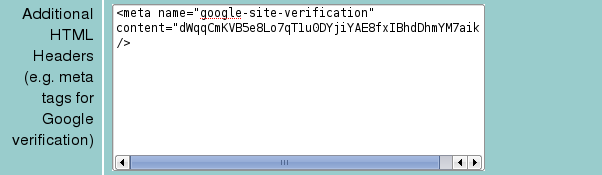
Additional HTML

This field enables extra data to be inserted into the header of each page on your Webulator website. For example, if you register your website with google you will be given a tag to insert into your page headers to verify that the site belongs to you.

An example google registration tag might look something like the following:

<meta name="google-site-verification" content="unintelligiblegobbledygookgoeshere" />

HTML Footer
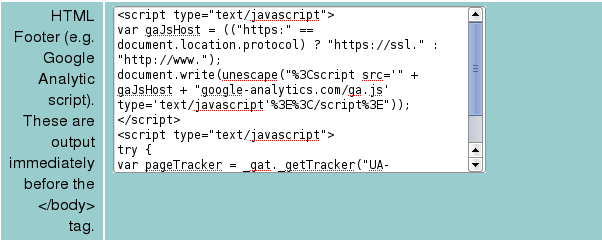
HTML Footer

This field enables extra HTML to be inserted immediately before the </body> tag of each page of your Webulator website. For example, if you want to look at visitor statistics for your website using Google Analytics then you will be provided with some HTML code to insert into this field.